

如何在 Ubuntu 20.04 LTS 上使用 Let\’s Encrypt SSL 安装 Nginx
Let\’s Encrypt 是一个证书颁发机构 (CA),它提供了一种简单的方法来获取和安装免费的 TLS/SSL 证书,从而在 Web 服务器上启用加密的 HTTPS。本指南将告诉您有关安装 Nginx Web 服务器、安装 Certbot、使用 Certbot 生成 SSL 证书以及创建其他 SSL 配置以从 SSL 测试 SSL 实验室获得 A+ 的信息。

在 Ubuntu 20.04 LTS Focal Fossa 上使用 Let\’s Encrypt SSL 安装 Nginx
步骤 1. 首先,通过apt在终端中运行以下命令确保所有系统包都是最新的。
sudo apt update
sudo apt upgrade
步骤 2. 在 Ubuntu 20.04 上安装 Nginx。
Nginx在默认的 Ubuntu 存储库中可用。要安装它,请运行以下命令:
sudo apt install nginx
安装完成后,运行命令使Nginx在您的服务器启动时自动启动:
sudo systemctl stop nginx
sudo systemctl start nginx
sudo systemctl enable nginx
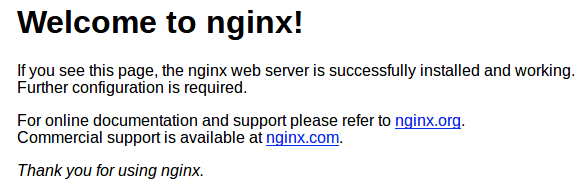
让我们继续运行 Nginx 测试页面。转到您的网络浏览器并访问您的域或 IP:
http://your-server-ip-address

步骤 3. 配置防火墙。
同时,您需要确保您的防火墙配置为允许 HTTP (80) 和 HTTPS (443) 端口上的流量。Nginx 将自己注册为一个服务ufw:
sudo ufw allow in \"Nginx Full\"
步骤 4. 使用 Let\’s Encrypt SSL Free Certificate 保护 Nginx。
现在我们使用以下命令在 Ubuntu 20.04 上为 Nginx 安装 Certbot:
sudo apt install python3-certbot-nginx
之后,运行以下命令开始创建证书:
sudo certbot --nginx --agree-tos --redirect --hsts --staple-ocsp --email admin@your-domain.com -d www.our-domain.com
输出:
-------------------------------------------------------------------------------
Congratulations! You have successfully enabled https://your-domain.com and
https://www.your-domain.com

You should test your configuration at:
https://www.ssllabs.com/ssltest/analyze.html?d=your-domain.com
https://www.ssllabs.com/ssltest/analyze.html?d=www.your-domain.com
-------------------------------------------------------------------------------

IMPORTANT NOTES:
- Congratulations! Your certificate and chain have been saved at:
/etc/letsencrypt/live/idroot.us/fullchain.pem
Your key file has been saved at:
/etc/letsencrypt/live/your-domain.com/privkey.pem
Your cert will expire on 2021-10-05. To obtain a new or tweaked
version of this certificate in the future, simply run certbot again
with the \"certonly\" option. To non-interactively renew *all* of
your certificates, run \"certbot renew\"
- If you like Certbot, please consider supporting our work by:

Donating to ISRG / Let\'s Encrypt: https://letsencrypt.org/donate
Donating to EFF: https://eff.org/donate-le
步骤 5. 自动续订 SSL。
Let\’s Encrypt 证书有效期为 3 个月,需要定期检查更新。要测试此续订过程是否正常工作,您可以运行:
sudo certbot renew --dry-run
步骤 6. 测试 SSL。
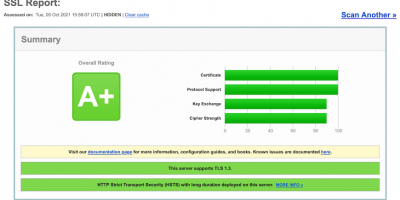
您现在可以转到 ssllabs.com/ssltest/并在您的域上运行 SSL 测试:
感谢您使用本教程在 Ubuntu 20.04 LTS Focal Fossa 系统上安装 Let\’s Encrypt SSL。如需其他帮助或有用信息,我们建议您查看Nginx 官方网站。