

如何通过终端查找全面的 Mac 系统信息
使用 system_profiler 从终端检索 Mac 系统信息
要开始使用,请打开 /Applications/Utilities/ 中的终端应用程序,或者使用 Spotlight 启动终端。进入命令行后,输入以下命令以获取有关当前 Mac 硬件和系统软件的大量信息: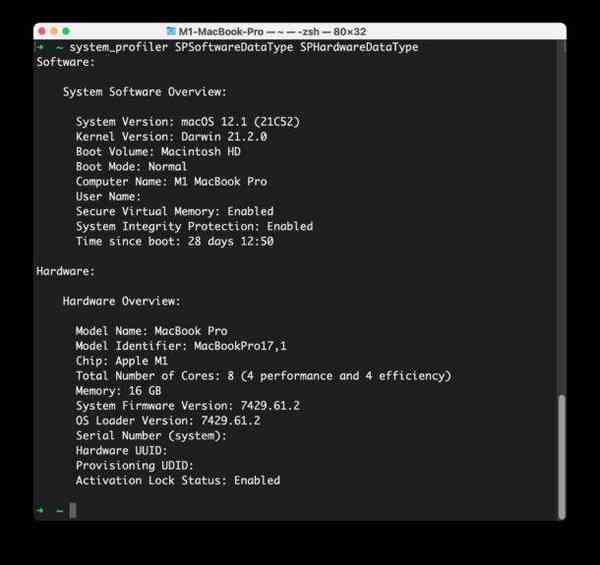
system_profiler SPSoftwareDataType SPHardwareDataType
点击回车,您将看到一个易于阅读的输出,其中列出了有关 Mac 的各种方便的系统信息,如下所示:
$ system_profiler SPSoftwareDataType SPHardwareDataType
Software:
System Software Overview:
System Version: macOS 12.1 (21C52)
Kernel Version: Darwin 21.2.0
Boot Volume: Macintosh HD
Boot Mode: Normal
Computer Name: M1 MacBook Pro
User Name: Paul Horowitz (Paul)
Secure Virtual Memory: Enabled
System Integrity Protection: Enabled
Time since boot: 35 days 17:14
Hardware:
Hardware Overview:
Model Name: MacBook Pro
Model Identifier: MacBookPro17,1
Chip: Apple M1
Total Number of Cores: 8 (4 performance and 4 efficiency)
Memory: 16 GB
System Firmware Version: 7429.61.2
OS Loader Version: 7429.61.2
Serial Number (system): C20JJ9PA2QRS
Hardware UUID: B571BB30-C8C9-DF83-312F-D8C265617512
Provisioning UDID: 000000042-0009847128944E
Activation Lock Status: Enabled
从这些信息中可以看出,Mac 是一台 M1 MacBook Pro,具有 16GB RAM,运行 macOS Monterey 12.1 正常启动并启用了 SIP,系统正常运行时间长达一个月。
这可能足以满足您的系统信息需求,但如果您想检索有关 Mac 的更多数据,您也可以找到更多可用的系统信息,可能是关于网络或内部存储的信息。
使用以下命令查看 system_profiler 可用的数据类型的完整列表:
system_profiler -listDataTypes
目前 system_profiler 数据类型包括以下选项:SPParallelATADataType
SPUniversalAccessDataType
SPSecureElementDataType
SPApplicationsDataType
SPAudioDataType
SPBluetoothDataType
SPCameraDataType
SPCardReaderDataType
SPiBridgeDataType
SPDeveloperToolsDataType
SPDiagnosticsDataType
SPDisabledSoftwareDataType
SPDiscBurningDataType
SPEthernetDataType
SPExtensionsDataType
SPFibreChannelDataType
SPFireWireDataType
SPFirewallDataType
SPFontsDataType
SPFrameworksDataType
SPDisplaysDataType
SPHardwareDataType
SPInstallHistoryDataType
SPInternationalDataType
SPLegacySoftwareDataType
SPNetworkLocationDataType
SPLogsDataType
SPManagedClientDataType
SPMemoryDataType
SPNVMeDataType
SPNetworkDataType
SPPCIDataType
SPParallelSCSIDataType
SPPowerDataType
SPPrefPaneDataType
SPPrintersSoftwareDataType
SPPrintersDataType
SPConfigurationProfileDataType
SPRawCameraDataType
SPSASDataType
SPSerialATADataType
SPSPIDataType
SPSmartCardsDataType
SPSoftwareDataType
SPStartupItemDataType
SPStorageDataType
SPSyncServicesDataType
SPThunderboltDataType
SPUSBDataType
SPNetworkVolumeDataType
SPWWANDataType
SPAirPortDataType
只需将数据类型附加到 system_profiler 命令字符串并执行它即可获取有关该特定数据类型的信息。