

Python 到时间自动压缩视频
admin
2023-07-30 20:44:20
0次
由于工作需要,每天有大量的视频需要压缩转码
- 某一天为了更好的需求,中午也要去,这尼玛 直接写一个脚本给我做,就行了,好歹我们也学了点代码之类的工具啥的,就是干
- 说干,我们就来先说说思路,首先是要在
规定的时间,做事情( 运行代码压缩视频 )
#计算时间得到秒
def howManySecondsBefore(now , atTime):
    d1 = datetime.datetime(now.tm_year, now.tm_mon, now.tm_mday, now.tm_hour, now.tm_min, now.tm_sec)
    #根据输入的参数,返回一个datetime对象
    d2 = datetime.datetime(atTime.tm_year, atTime.tm_mon, atTime.tm_mday, atTime.tm_hour, atTime.tm_min, atTime.tm_sec)
    second = (d2 - d1).seconds

    return second


#开始运行
def start():
    #1.得到当前的详细时间
    currentTime = time.localtime()

    #2.根据当前的时间拿到想要的时间 为下午的一点钟
    wantTime = \"%d-%d-%d 12:07:00\" %(currentTime.tm_year, currentTime.tm_mon, currentTime.tm_mday)

    #3.目标执行的时间
    targetTime =  time.strptime(wantTime, \'%Y-%m-%d %X\')

    #4.离运行时间的秒
    waitTimeSecond = howManySecondsBefore(currentTime, targetTime)

    #5.睡眠等到要执行的时间
    time.sleep(waitTimeSecond)

    #6.睡nmb, 起来high
High()-
然后怎么High了,我们默认是将视频放在一个文件夹里面,路径当然是绝对的,但是为了以后运用,写一个相对的也可以
#开始high
def High():
  #.检查有没有视频后缀为.mp4 ,搜索路径
  videoPath = GetDesktopPath() + \"/视频\"
  #得多所有视频的路径 这里得到的是一个元祖,并且第二个是一个字符串
  tuple2 = GetFileWith(videoPath)

  #拿到所有的路径,并且是list
  allVideoPath = tuple2[1].split(\"\\n\")

  if len(allVideoPath) > 0:
      #转换
      CompressionTranscoding(allVideoPath)
+废话不多说, 直接上全部代码
#coding=utf-8

import os
import sys
import subprocess
import commands
#时间
import time
import datetime

#根据一个路径获取路径下面有多少个视频路径
def GetFileWith(path):
    command = \"find %s -name *.mp4\" %(path)
    #执行shell 命令
    allVideoPath = commands.getstatusoutput(command)

    return allVideoPath

#得到当前用户的桌面路径
def GetDesktopPath():
    return os.path.join(os.path.expanduser(\"~\"), \'Desktop\')


#创建文件夹 返回文件的路径
def createFolder():
    currentTime = time.localtime()
    #以当前日期创建文件夹
    folderName = \"%d%d压缩视频\" %(currentTime.tm_mon, currentTime.tm_mday)
    folderPath = GetDesktopPath() + \'/\' + folderName
    createCommand = \"mkdir %s\" %(folderPath)
    commands.getstatusoutput(createCommand)
    return folderPath


#转换
def CompressionTranscoding(allVideoPath):
    #创建文件夹,并得到路径
    compressionVideoFolderPath = createFolder()

    #遍历每个的路径,开始转换
    for singlePath in allVideoPath:

        if type(singlePath) is str:
            #这里就开始进行转换了
            #拿到本身的文件名 -1 是的到list的最后一个元素
            videoName = singlePath.split(\"/\")[-1]
            # print videoName
            #拼接压缩路径
            videoCompressionPath = compressionVideoFolderPath + \"/\" + videoName
            #shell 命令
            command = \"/usr/local/bin/ffmpeg -i %s -vcodec h264 -s 352*278 -r 6 %s \" %(singlePath, videoCompressionPath)
            #开启一个进程执行shell
            p2 = subprocess.Popen(command,shell=True)

            #等待
            p2.wait()


#开始high
def High():
    #.检查有没有视频后缀为.mp4 ,搜索路径
    videoPath = GetDesktopPath() + \"/视频\"
    #得多所有视频的路径 这里得到的是一个元祖,并且第二个是一个字符串
    tuple2 = GetFileWith(videoPath)

    #拿到所有的路径,并且是list
    allVideoPath = tuple2[1].split(\"\\n\")

    if len(allVideoPath) > 0:
        #转换
        CompressionTranscoding(allVideoPath)


#计算时间得到秒
def howManySecondsBefore(now , atTime):
    d1 = datetime.datetime(now.tm_year, now.tm_mon, now.tm_mday, now.tm_hour, now.tm_min, now.tm_sec)
    #根据输入的参数,返回一个datetime对象
    d2 = datetime.datetime(atTime.tm_year, atTime.tm_mon, atTime.tm_mday, atTime.tm_hour, atTime.tm_min, atTime.tm_sec)
    second = (d2 - d1).seconds
    return second


#开始运行
def start():
    #1.得到当前的详细时间
    currentTime = time.localtime()

    #2.根据当前的时间拿到想要的时间 为下午的一点钟
    wantTime = \"%d-%d-%d 13:09:00\" %(currentTime.tm_year, currentTime.tm_mon, currentTime.tm_mday)

    #3.目标执行的时间
    targetTime =  time.strptime(wantTime, \'%Y-%m-%d %X\')

    print targetTime

    #4.离运行时间的秒
    runTimeSecond = howManySecondsBefore(currentTime, targetTime)

    print runTimeSecond
    #5.睡眠
    time.sleep(runTimeSecond)

    #6.睡nmb, 起来high
    High()


if __name__ == \"__main__\":
    start()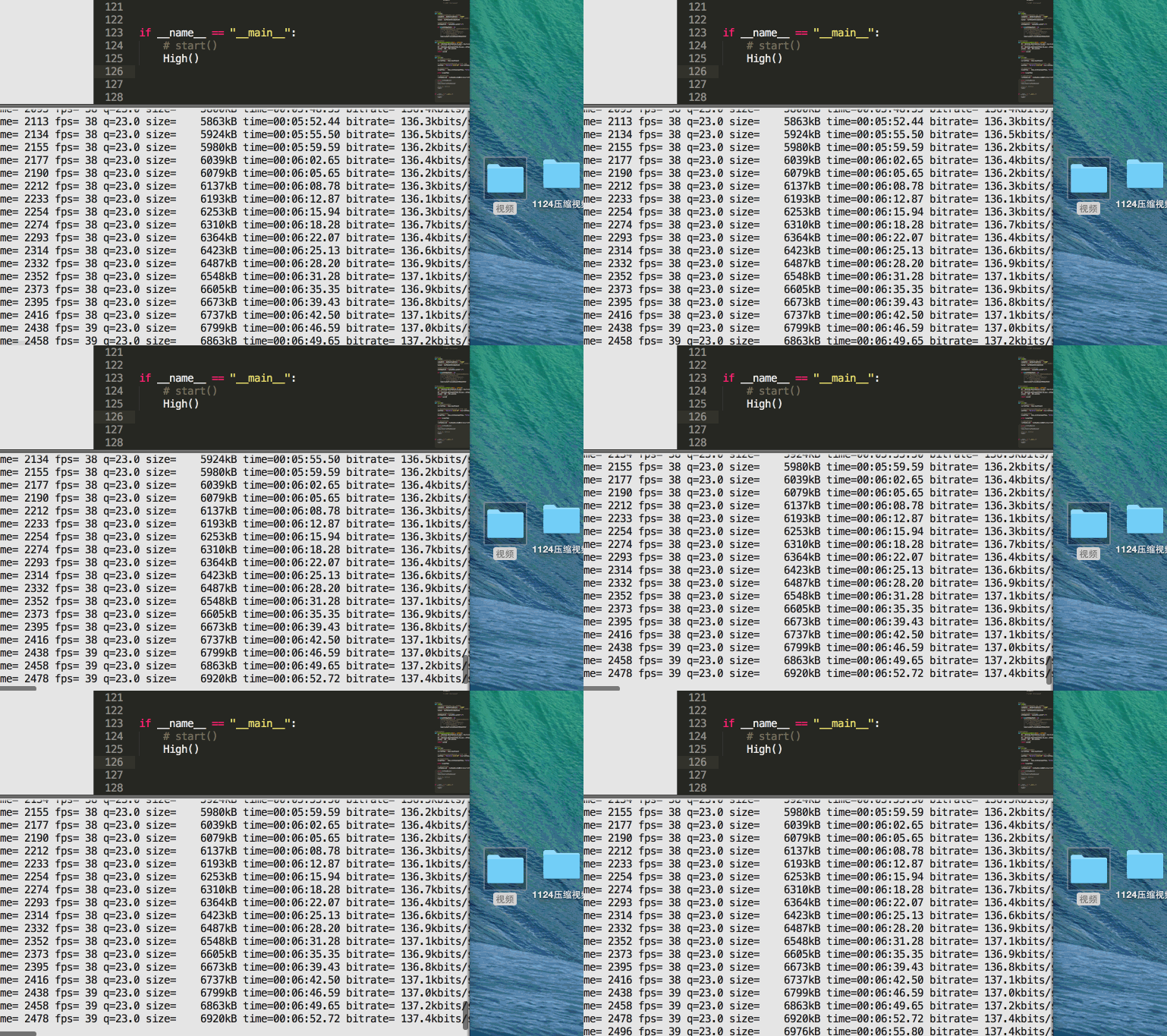
测试运行
好了,到下午一点,它就自己去转视频,我就不用去了,可以睡个午觉啥的
上一篇:Python笔记(一):基础知识
下一篇:获取迅雷会员工作流
相关内容
热门资讯
500 行 Python 代码...
语法分析器描述了一个句子的语法结构,用来帮助其他的应用进行推理。自然语言引入了很多意外的歧义,以我们...
定时清理删除C:\Progra...
C:\Program Files (x86)下面很多scoped_dir开头的文件夹 写个批处理 定...
65536是2的几次方 计算2...
65536是2的16次方:65536=2⁶
65536是256的2次方:65536=256
6553...
scoped_dir32_70...
一台虚拟机C盘总是莫名奇妙的空间用完,导致很多软件没法再运行。经过仔细检查发现是C:\Program...
Mobi、epub格式电子书如...
在wps里全局设置里有一个文件关联,打开,勾选电子书文件选项就可以了。
Prometheus+Graf...
一,Prometheus概述
1,什么是Prometheus?Prometheus是最初在Sound...
python绘图库Matplo...
本文简单介绍了Python绘图库Matplotlib的安装,简介如下:
matplotlib是pyt...
pycparser 是一个用...
`pycparser` 是一个用 Python 编写的 C 语言解析器。它可以用来解析 C 代码并构...
python文件操作相关知识点...
本文汇总了python文件操作相关知识点。分享给大家供大家参考,具体如下:
总是记不住API。昨晚写...
小程序支付时提示:appid和...
[Q]小程序支付时提示:appid和mch_id不匹配
[A]小程序和微信支付没有进行关联,访问“小...